
Scan a box. See the whole list.
Add your boxes and items, print labels, stick them on. Point any phone camera at a box and the full contents list appears — no app, no account, no internet. The list lives inside the QR code.
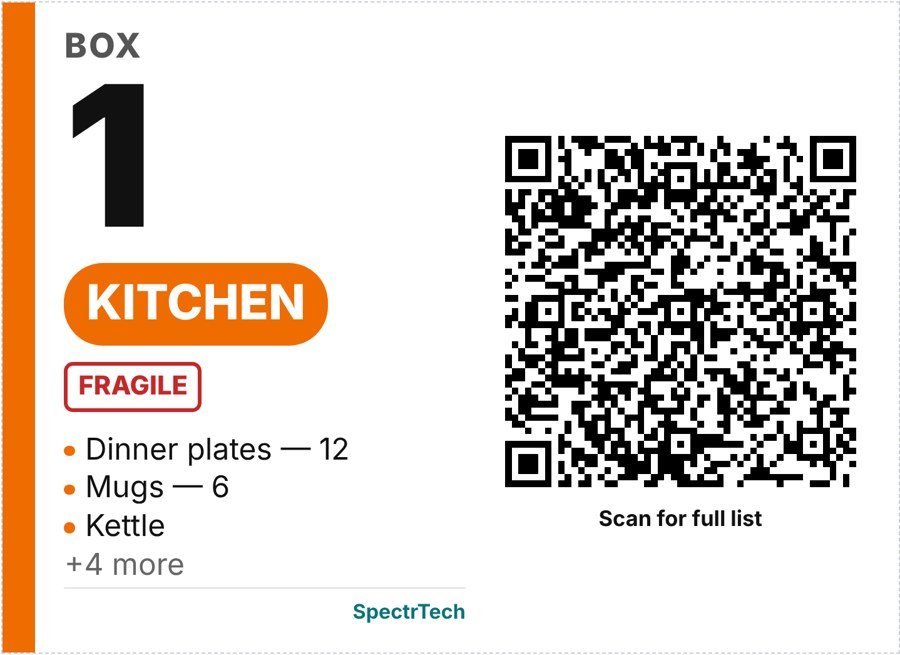
How it works
Add boxes
Room, items, quantities, photos. Flags for Fragile, This side up, Open first, Heavy. Mark valuables "Hide on label".
Print labels
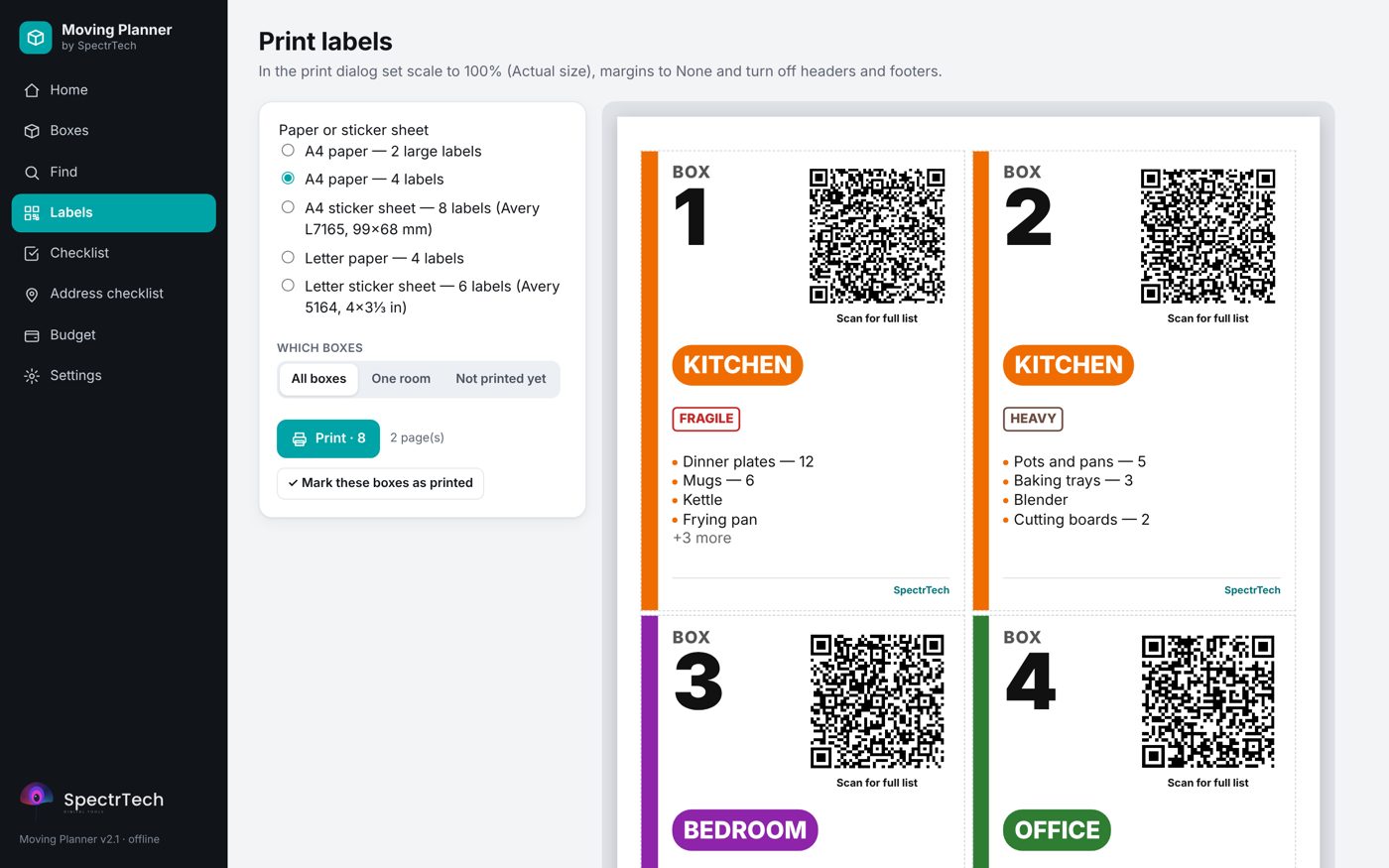
A4 or Letter paper, or Avery sticker sheets. Big box number, room colour, flags and a QR code with the full list.
Scan & find
Any phone camera reads the label. Or search every box from the planner: "chargers" → box 4, Office.
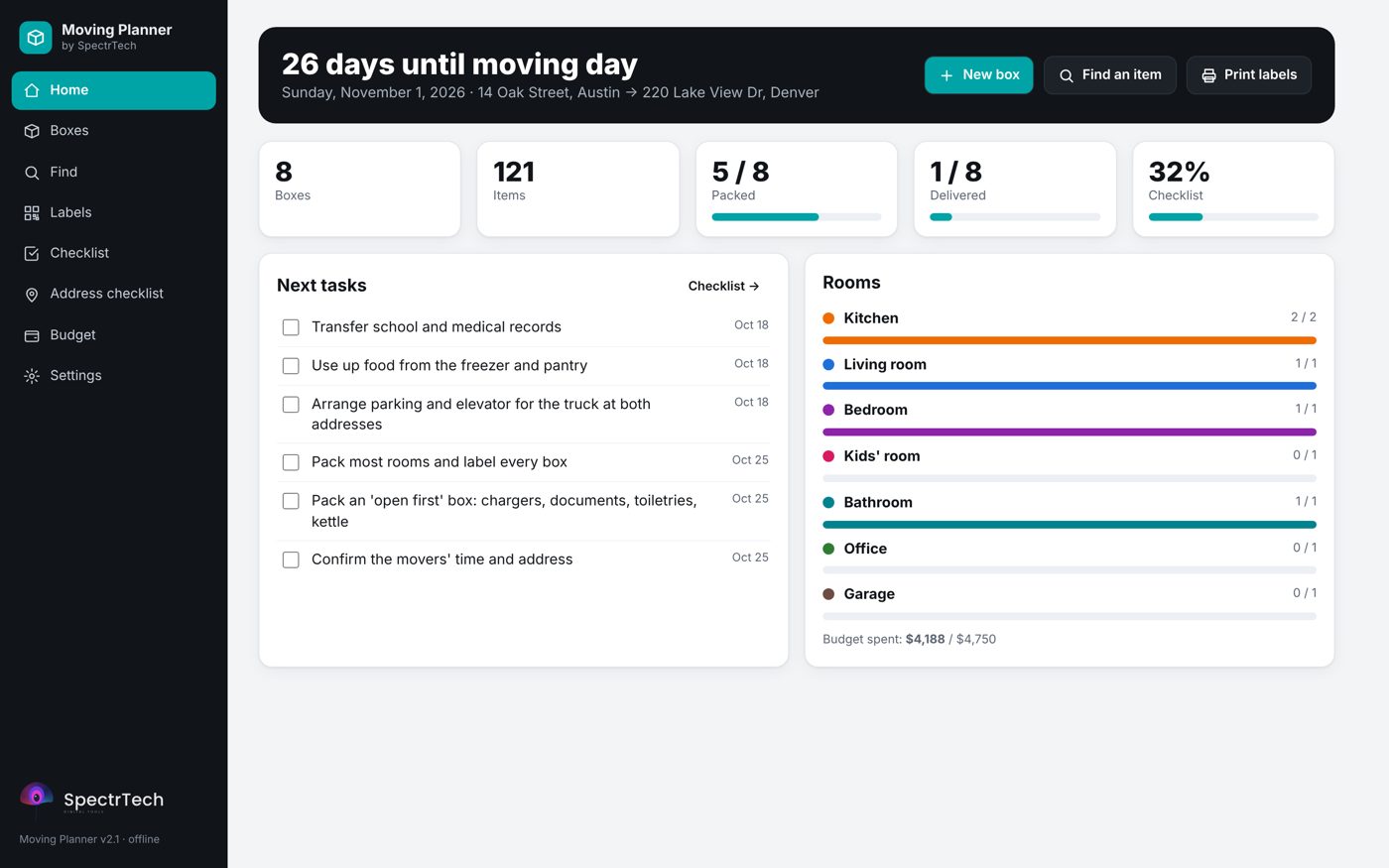
Your whole move on one screen
Countdown to moving day, packed and delivered boxes, progress by room, the next tasks and the budget.
Labels that stay up to date
Change a box after printing and it moves to Not printed yet — you always know which labels to reprint.
- A4 / Letter: 2 or 4 labels per page
- Avery L7165 (8 per sheet) and 5164 (6 per sheet)
- Room signs for every door of the new home
- Inventory list for the movers, CSV export
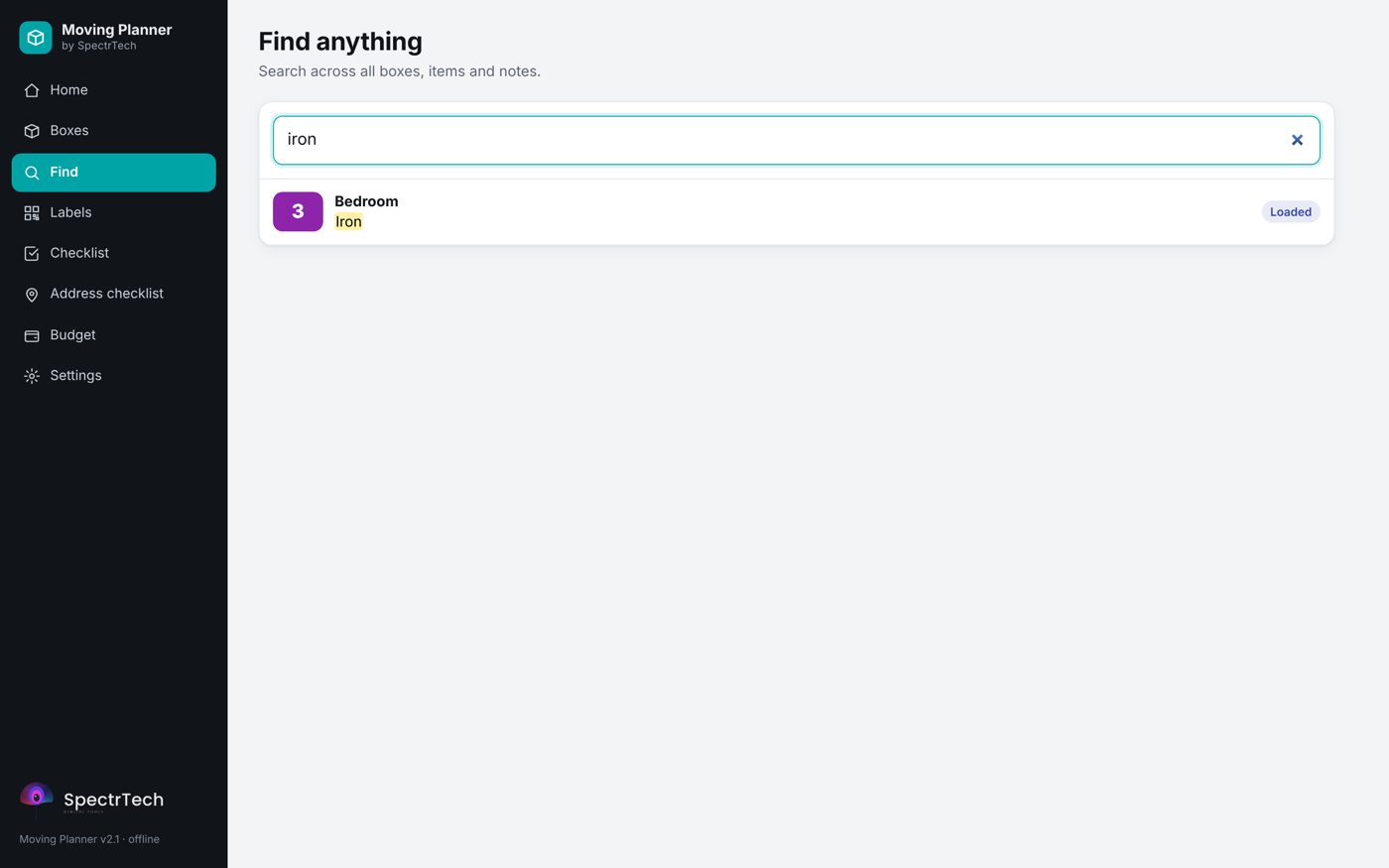
Find anything in seconds
Search every box, item and note. Box status runs Packing → Packed → Loaded → Delivered → Unpacked, so on the other side you know what's still missing.
8-week checklist, addresses and budget
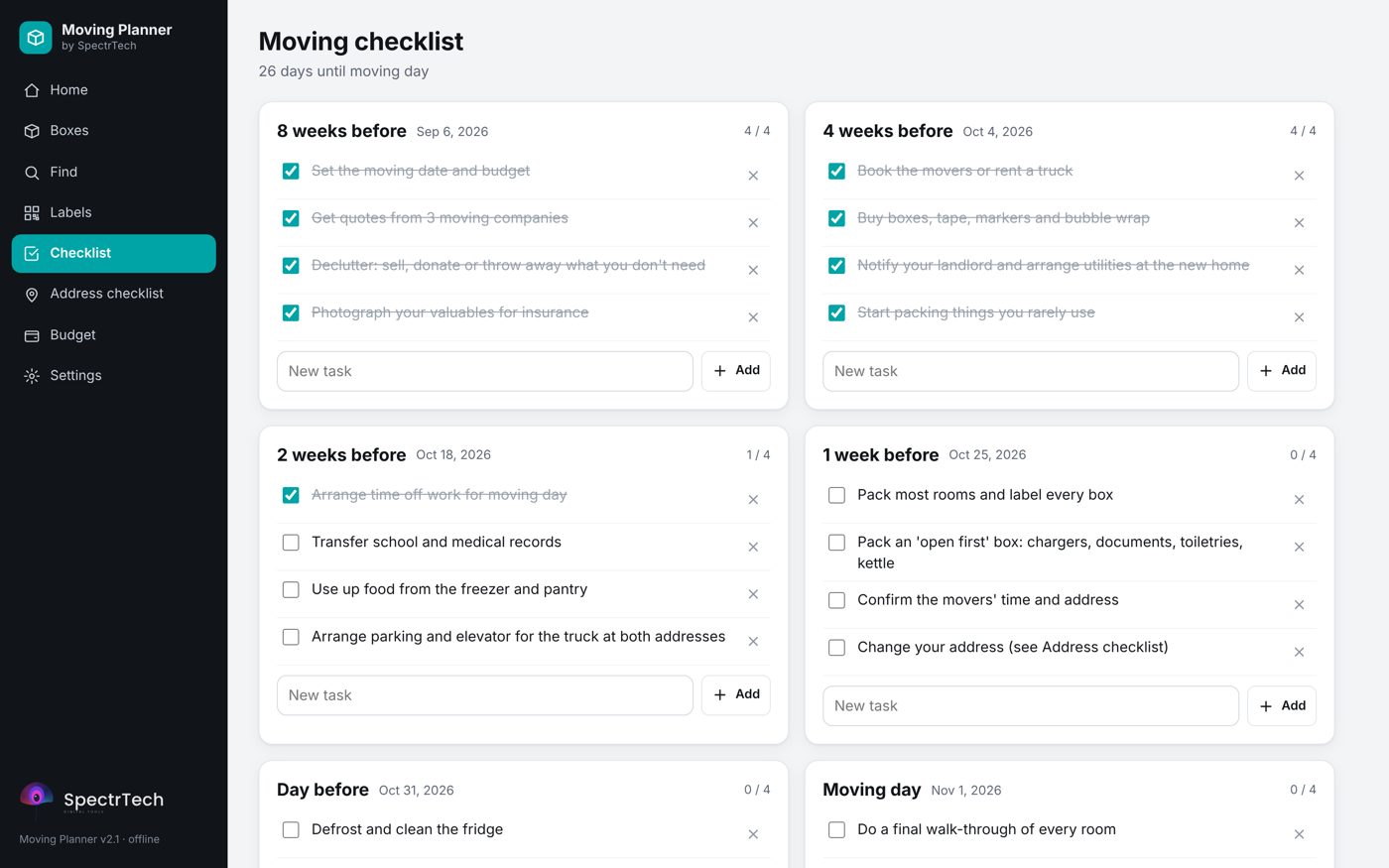
A ready moving checklist from 8 weeks out to moving day, a list of everyone who needs your new address, and a budget with planned vs actual costs in any currency.
A closing gift clients actually use
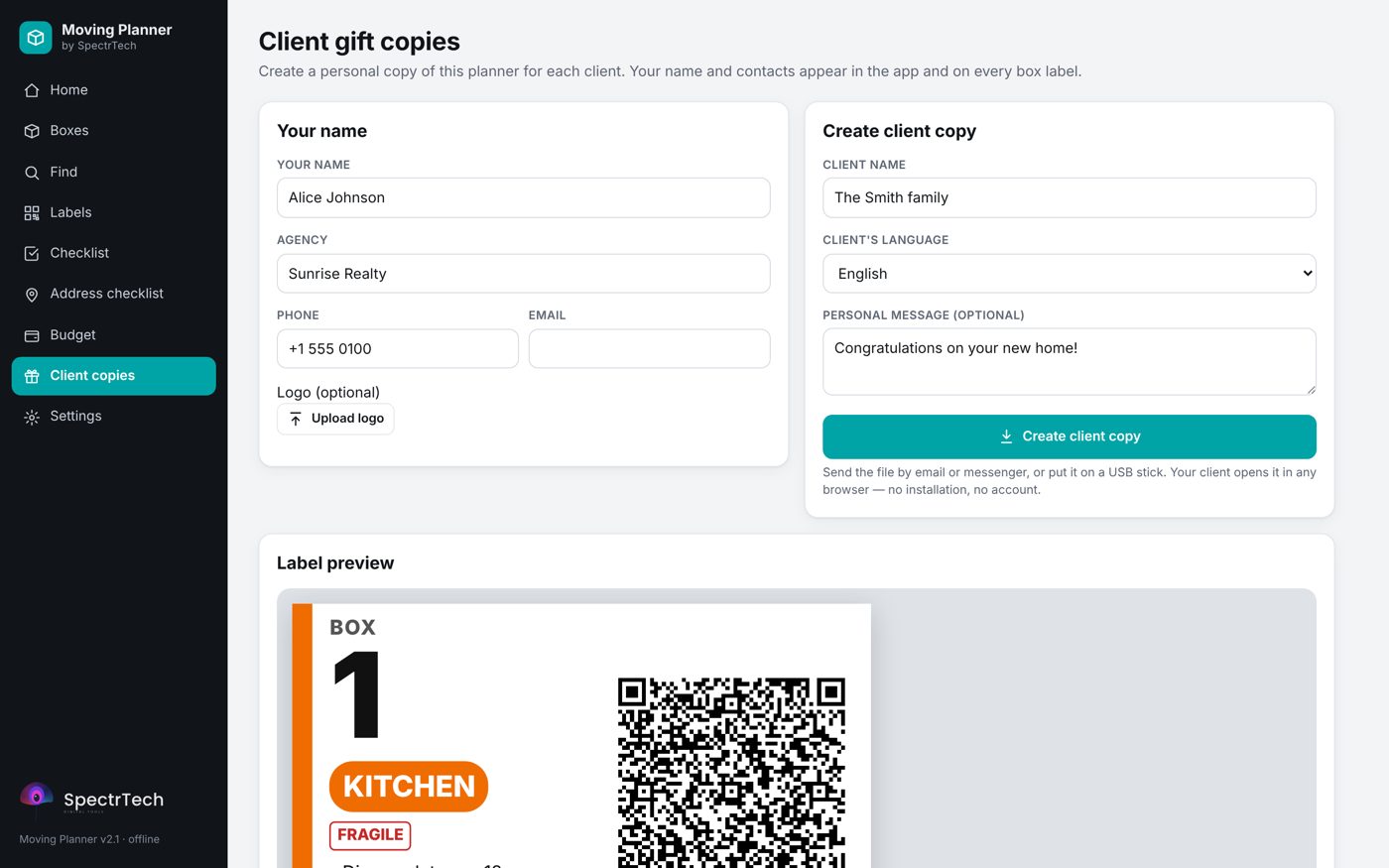
Choose "I'm a real estate agent" and create a branded copy for each client. Your name, agency, phone and logo appear in the planner and on every box label the family prints. Unlimited client copies; each copy contains none of your own data.
Details
Questions
Do I need an app to scan the labels?
No. The built-in camera on iPhone and Android reads the QR code and shows the box list as text. It works without mobile data.
What if I change a box after printing?
The box goes back to "Not printed yet". Select that filter and reprint only those labels.
Can I keep valuables off the label?
Yes. Tick "Hide on label" on any item: it stays in your private list and search, but is not printed and not in the QR code.
Does it work on a phone?
The planner works in mobile browsers, but printing labels is easiest from a laptop or desktop.
Is there a subscription?
No. $29 once, and the file is yours.
Know what's in every box.
Moving Planner with QR box labels — $29 one-time.