
Wedding Guest List and RSVP Tracking: The Spreadsheet Columns You Actually Need
The guest list is the one document every other part of the wedding depends on. The caterer's headcount, the seating chart, the invitation count, the favour count, the budget per head — all of it reads from this list. Which is why a list that starts as “names in Notes on my phone” costs you weeks later. Build it properly once.
The wedding guest list spreadsheet columns
One row per person, not per household. Households are a column. This is the single decision that makes everything downstream easier: seating is per chair, meals are per person, kids' meals are per child.
| Column | Why |
|---|---|
| First name, last name | Separate columns. Sorting and escort cards need it. |
| Household / invitation group | One invitation per group; the same name for everyone in it (“The Carters”, “Priya + Dev”). |
| Side | Bride / groom / both. Useful for the numbers argument, later for seating. |
| Group | Family, college, work, parents' friends. This is what you will seat by. |
| Type | Adult / child / infant. Caterers price these differently and infants often do not count. |
| Plus-one | Yes / no / named. A “+1” with no name is a chair you cannot seat — get the name before the seating chart. |
| Address, email, phone | Invitations, thank-you notes, RSVP chasing. |
| Invitation sent | Date. |
| RSVP | Pending / yes / no / no reply by deadline. |
| Meal | Choice + dietary notes in a separate column. |
| Table | Filled in last. Leave empty until the RSVPs are in. |
| Gift / thank-you sent | You will want this in month four after the wedding. |
Plus-ones, kids and the “B list”
Plus-ones. Decide the rule before you write a single name: married, engaged and living together get one; everyone else only if you know the partner's name. Apply the rule to both sides identically, because the first exception becomes the argument at every family dinner until the wedding.
Kids. Three options: all kids, no kids, or family kids only. Whatever you choose, list each child as a row so the seating chart and the caterer count them, and note ages — a 14-year-old is an adult meal and an adult chair; a 2-year-old is a high chair and no meal.
The B list. If the venue holds 120 and the list is 160, you will run two waves. Send the A list first with an RSVP date six weeks out, and the B list as declines come in — but only if there are at least four weeks left; a B-list invitation two weeks out tells the guest exactly which list they were on.
Tracking and chasing RSVPs
Set the RSVP deadline three weeks before the wedding, not two — the caterer needs the final count around ten days out and you need a week to chase. Expect a third of guests to miss the deadline. The chase is one message, personal, with a yes/no question and nothing else: “We need to give the caterer numbers on Friday — are you two able to come?” Group messages get ignored; questions with options get answered.
Anyone who has not answered two days after the chase is a no. Put them down as “no reply”, not “no” — it matters for thank-you notes and for the awkward conversation when they turn up.
Where a spreadsheet stops helping
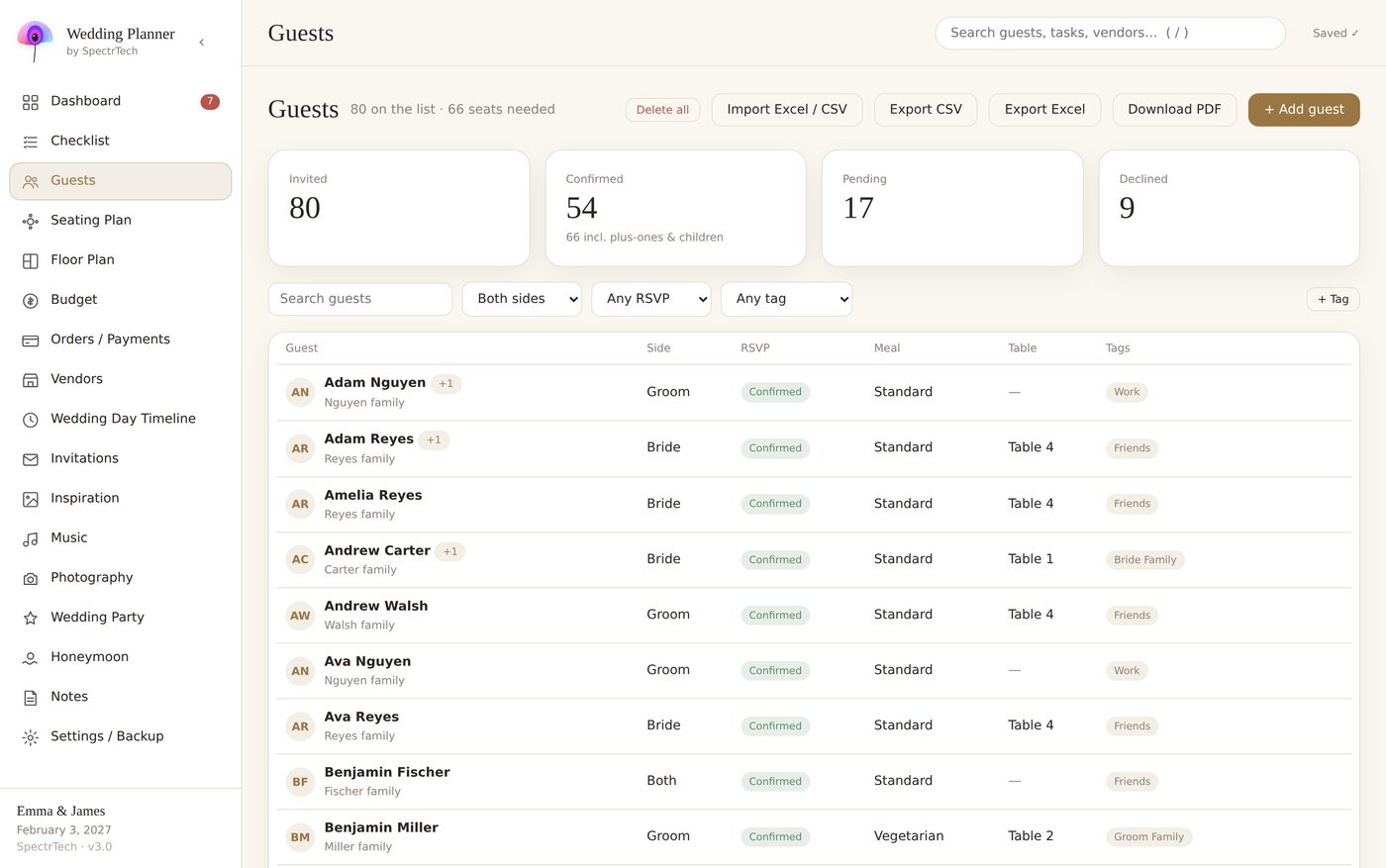
A spreadsheet handles the list. It does not handle the connections: when Aunt Maria declines, her chair at table 6 is still occupied in the seating tab, her meal is still on the caterer sheet, and her invitation-group total is wrong. With 40 guests you fix that by eye; with 140 you miss one, and that one is the empty chair next to the groom's mother.
Wedding Planner by SpectrTech — one offline HTML file, 17 connected sections, 9 languages. No account, no subscription. $24.99 one-time.
See the planner on Gumroad
Keep the list private
Your guest list is 140 people's names, addresses and phone numbers. Before you put it in a shared online tool, check who else can see it and where it is stored. A file on your own device that you back up yourself is the simplest answer.