
Wedding Planner App vs Excel vs Notion: What Each Is Good For (Honest Comparison)
Every couple starts with the tool they already have: a spreadsheet, a Notion page, a notes app. That is the right instinct — and for a 40-person wedding it may be all you need. The question is where each tool stops being enough, and that depends on the task more than the tool. Here is the comparison by task.
| Task | Excel / Google Sheets | Notion | Dedicated planner |
|---|---|---|---|
| Guest list & RSVPs | Excellent. Columns, filters, counts — this is what spreadsheets are for. | Good. Databases with views; slower to fill in. | Good, plus import from the spreadsheet you already have. |
| Seating chart | Weak. Cells do not know who is a Carter or who is next to their ex; every change is re-checked by eye. | Weak. Same problem, prettier. | Strong. Guests dragged onto chairs; group / keep-apart rules attached to the guest. |
| Floor plan | No. | No (paste an image). | Yes, to scale, tied to the seating chart. |
| Budget | Excellent, if you build estimate / quoted / final columns and category limits yourself. | OK. Formulas are limited. | Good, with the three-number method built in and payments linked. |
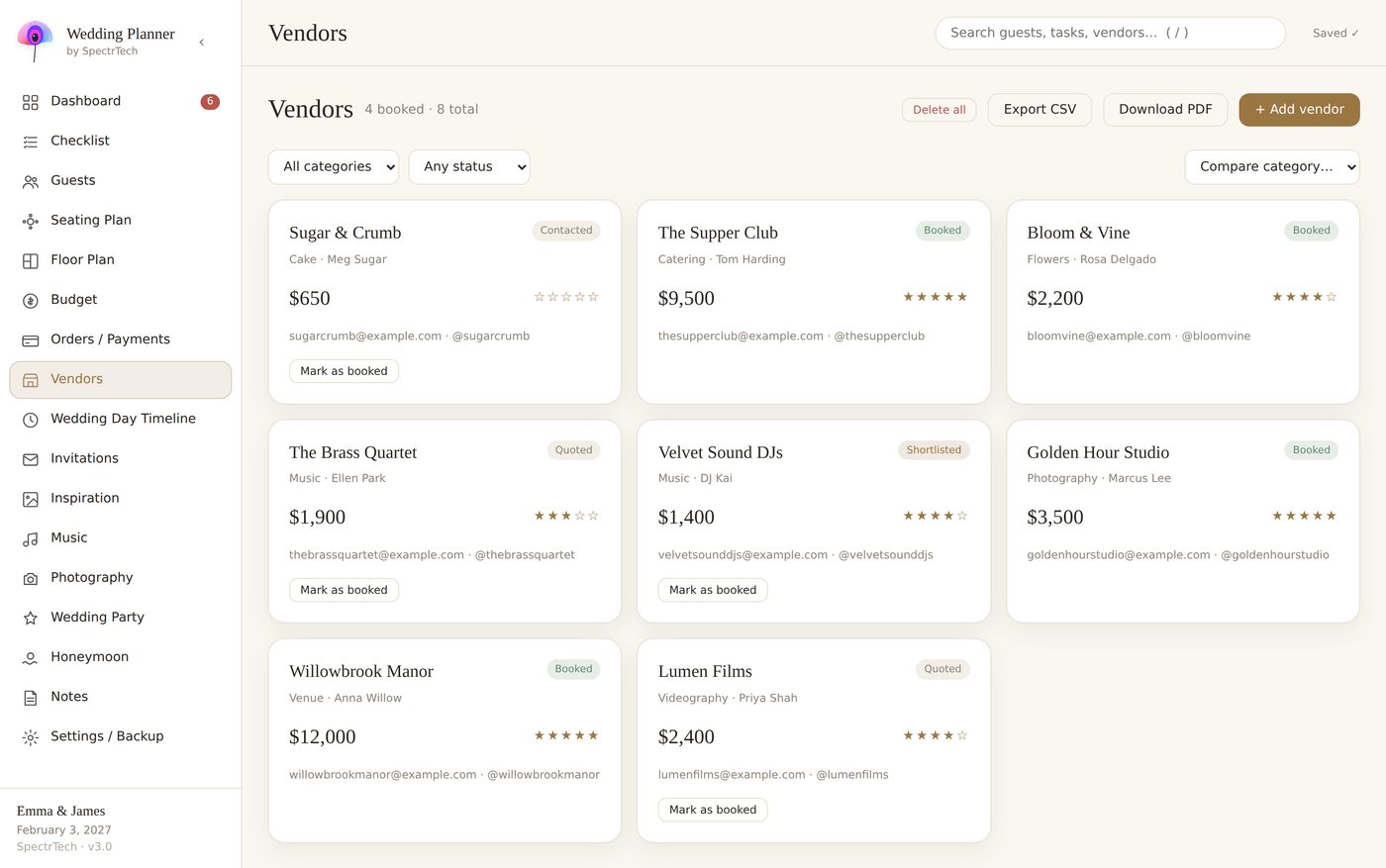
| Vendors & payments | OK. A second tab; nothing connects to the budget. | Good. Relations between databases if you set them up. | Good. Choosing a vendor creates the budget line and the instalments. |
| Day timeline | OK. A column of times. | Good. Timeline view. | Good. Overlaps and gaps flagged. |
| Invitations | No. | No. | Yes, if the planner includes them (ours does, per guest, as PDF). |
| Sharing with a partner | Easy (cloud). | Easy (cloud). | Depends: cloud apps yes; offline file — one owner, backup file shared. |
| Privacy | Cloud account holds 140 people's contact details. | Same. | Cloud apps same; offline file stays on your device. |
| Cost | Free / already paid. | Free tier is enough. | Free with ads, subscription, or one-time (ours: $24.99). |
When an Excel wedding planner is enough
Under about 60 guests, one venue, no seating chart beyond “family near the front”: a spreadsheet with a guests tab, a budget tab and a vendors tab is the right tool. You know it, your partner knows it, and there is nothing to learn. Add three columns to the budget (estimated, quoted, final) and a contingency line, and you have most of what a planner would give you.
Where a Notion wedding planner template wins
If you already live in Notion, its relations between databases are the closest a general tool gets to a planner: vendor ↔ budget line ↔ payment. Templates exist, though most are cosmetic. The cost is set-up time — a couple of evenings — and it is slow on a phone with a big guest database.
Where both break: 100+ guests and a seating chart
The seating chart is the task that sends people looking for a planner. At 100+ guests with families, exes, kids and a venue with fixed tables, the rules stop fitting in your head, and a grid of cells cannot enforce them. This is the one place where “a tool built for one job” earns its keep: guests carry their tags, the chart reads them, and a late decline empties the chair automatically.
What to look for in a planner
- Import from a spreadsheet — you should not retype 140 names.
- Seating that drags guests onto chairs and respects group / keep-apart rules.
- Budget with estimate → quote → final, not one number.
- Clear answer to “where is my data stored” and “what happens if I stop paying”.
- Export: printable seating chart, guest list with table numbers, PDF invitations if included.
Wedding Planner by SpectrTech — one offline HTML file, 17 connected sections, 9 languages. No account, no subscription. $24.99 one-time.
See the planner on Gumroad
Our honest position
We make a planner, so discount this accordingly: if your wedding is small, use the spreadsheet. If it is large and the seating chart is keeping you up at night, a dedicated tool will save you evenings. Prefer one that keeps your guests' data on your own device and does not need a subscription after the wedding is over.